 Art
ArtPixel art is a form of digital image-making in which every pixel is placed deliberately at a low, fixed resolution, so the grid itself becomes part of the visual language rather than something to hide. Artists work at a small canvas size — often just tens or a few hundred pixels per side — choosing individual pixel placement, color, and a limited palette to suggest form, light, and motion within very few marks. Because there's no room for soft blending, pixel artists rely on techniques like dithering, alternating colors to simulate a middle tone, and careful anti-aliasing at curved edges to avoid a jagged, harsh silhouette. The constraint is the appeal: working within a tight grid and limited colors forces clear, readable shapes and forces artists to solve problems traditional painting simply avoids. It grew out of early video game hardware limits and remains popular today as a deliberate stylistic choice, prized for its clarity, nostalgia, and charm at a small scale.
How to spot it
- 01Visible, blocky square pixels, especially obvious when the image is enlarged.
- 02A tightly limited color palette, often a few dozen colors or fewer.
- 03Dithering patterns — alternating pixel colors — used to fake a middle shade or gradient.
- 04Hard, stair-stepped edges on diagonal or curved lines instead of smooth curves.
- 05Small, simplified character or object silhouettes designed to read clearly at tiny sizes.
The Pixel Art workshop card
days to learn basics, years for animationMaterials
- pixel art software with grid and zoom tools
- a small, fixed-resolution canvas
- a limited, hand-picked color palette
- mouse, graphics tablet, or precision input device
- onion-skinning tools for animation frames
- reference at matching low resolution
Steps
- 1
Set the canvas size
Choose a small, fixed pixel dimension before starting any work; working at the final low resolution from the beginning forces the right kind of simplification.
- 2
Pick a limited palette
Select a small set of colors in advance, often organized in light-to-dark ramps for each hue, rather than pulling arbitrary colors as you go along.
- 3
Block the silhouette first
Establish the overall shape in one flat color before adding any fine detail; a pixel piece lives or dies on whether its silhouette reads clearly.
- 4
Place pixels deliberately
Work pixel by pixel rather than using soft digital brushes, keeping every single mark intentional since there's no room to hide sloppy placement at all.
- 5
Clean up jagged edges
Hand-adjust anti-aliasing pixels individually along curves and diagonals to smooth out the stair-step effect without losing the crisp, low-resolution character the style depends heavily on.
- 6
Use dithering for gradients
Alternate two colors in a controlled, checkered pattern to simulate a middle value where a true smooth gradient isn't available in the limited chosen palette.
- 7
Check at true size
View the piece at its actual intended display size regularly as you work, since pixel art is often built zoomed in but read zoomed out.
Classic mistakes
Using too many colors
An overloaded palette undermines the clarity pixel art depends on; restrict colors deliberately and reuse them across the whole piece.
Relying on smudge or blur tools
Soft digital blending erases the crisp pixel grid that defines the whole style; every pixel should be placed deliberately, not smeared.
Ignoring the silhouette
A busy, detailed piece with a weak overall shape reads as noise at small size; strong pixel art works as a clear silhouette first.
Overusing anti-aliasing
Softening every single edge removes the deliberate hard-edged character of pixel art; use anti-aliasing sparingly, mainly on the most prominent curves.
Where it comes from
Pixel art originated directly from the technical constraints of early computer and video game hardware, when limited memory and low-resolution displays forced artists to build every image from a small, discrete pixel grid and a tiny color palette. Through the 1980s and into the 1990s, game studios refined the craft, developing techniques like dithering and hand-placed anti-aliasing to squeeze maximum visual information out of minimal resolution. As hardware advanced and 3D graphics took over mainstream game development in the late 1990s and 2000s, pixel art shifted from a technical necessity to a deliberate aesthetic choice, embraced by independent game developers and digital artists for its clarity, nostalgia, and hand-crafted feel. It remains a thriving niche in games, animation, and standalone digital illustration.
See it done perfectly
| Work | Maker | Date | What to look at |
|---|---|---|---|
| Sprite art of early console and arcade games | Unknown (studio pixel artists) | 1980s–1990s | Defined the medium's core techniques — limited palettes, clear silhouettes — under strict hardware memory constraints. |
| 16-bit era role-playing game art | Unknown (studio pixel artists) | early-to-mid 1990s | Pushed pixel art's expressive range with detailed environments and characters within a larger, but still limited, palette and resolution. |
| Independent game pixel art revival | Unknown (independent developers) | 2010s | Reintroduced pixel art as a deliberate style choice, often at higher resolutions than original hardware constraints required. |
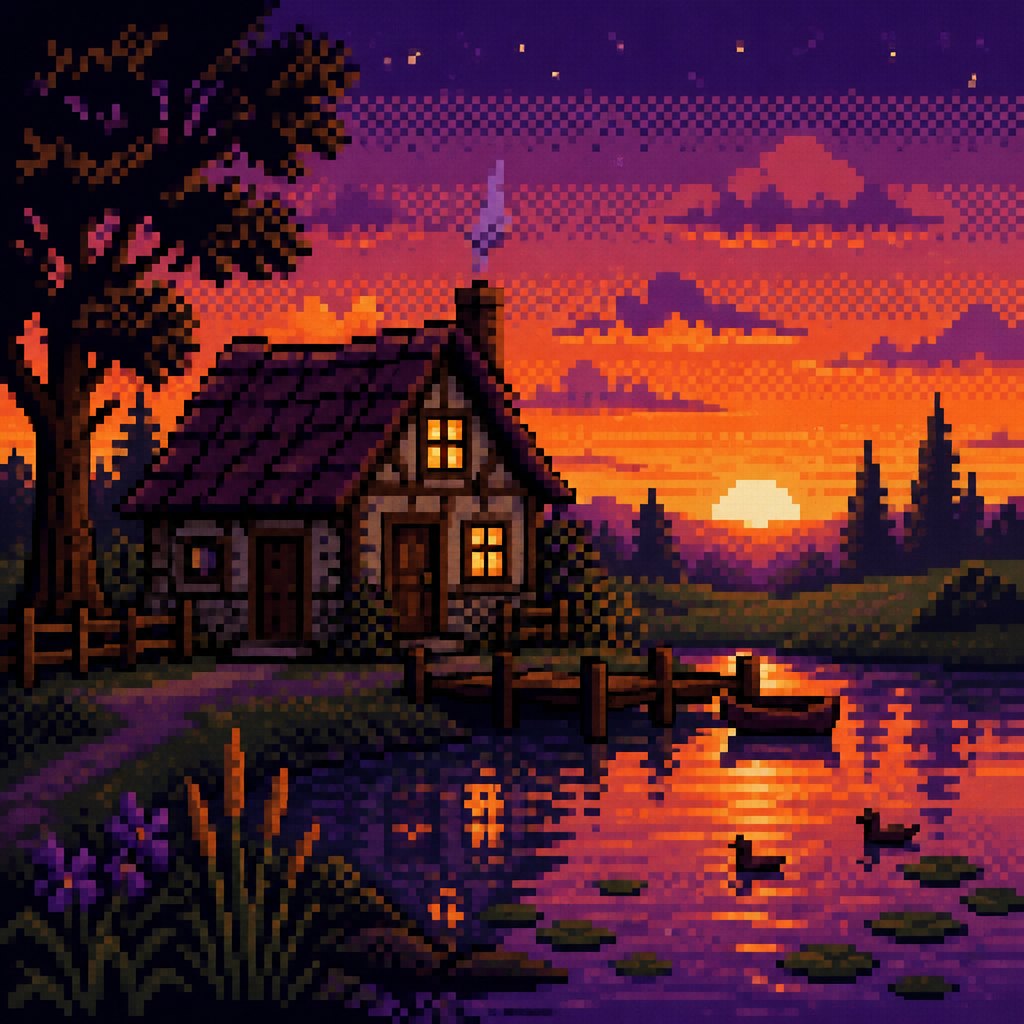 AI-generated
Try it with AI
Get the Pixel Art look in a generator
To push an AI image generator toward pixel art, specify the grid directly: 'blocky visible pixels,' 'low-resolution sprite,' 'limited color palette,' and 'hard-edged pixel grid.' Add 'dithered gradient' for shading and '8-bit' or '16-bit style' to suggest an era-appropriate resolution and palette size. Terms like 'crisp pixel silhouette' and 'no anti-aliasing blur' push against the smoother, blended look most models default to. Requesting a simple, clear subject with a strong silhouette also helps, since pixel art depends on readability at small scale.
Frequently asked questions
What is pixel art?
Pixel art is digital image-making where every pixel is placed deliberately on a small, fixed-resolution grid, using a limited color palette to build clear, readable shapes without soft blending.
Why does pixel art use so few colors?
A tight palette keeps the image readable at small sizes and reinforces the deliberate, hand-placed character of the style; too many colors makes shapes muddy and harder to read.
What software do people use for pixel art?
Dedicated pixel art editors with pixel-precise tools, grid snapping, palette management, and animation frame support are standard, though any program with a hard-edged pencil tool can work at small scale.
Is pixel art still relevant with modern high-resolution displays?
Yes — pixel art has shifted from a hardware necessity to a deliberate stylistic and nostalgic choice, especially popular in independent games and digital illustration.