 Art
ArtDigital painting is the practice of creating images directly on a computer or tablet using pressure-sensitive stylus input and software that simulates traditional media — brushes, pigment mixing, canvas texture — while adding tools no physical medium offers. A drawing tablet or screen reads the angle, pressure, and tilt of a stylus, translating that pressure into brush opacity, width, or texture the way a hand naturally varies pressure on a real brush. Artists work in layers, which can be reordered, blended, hidden, or erased without disturbing anything beneath — an unlimited undo history removes the risk that stops many traditional media from being explored freely. Painters reach for digital tools because they collapse the cost and mess of physical materials into one reusable setup, let color and composition be adjusted after the fact, and support brush libraries that mimic everything from dry pastel to loaded oil paint. It has become the default working medium for concept art, illustration, and animation production.
How to spot it
- 01Perfectly clean color blending with no physical paint texture or brush hair marks.
- 02Uniform, repeatable brush textures that recur identically across a single painting.
- 03Crisp layer edges or selections with no bleed, unlike wet traditional media.
- 04Color and value ranges that can look unusually saturated or evenly graded.
- 05Compositions with pixel-perfect symmetry or repeated elements, easier to achieve digitally than by hand.
The Digital Painting workshop card
hours to learn tools, years for painterly controlMaterials
- graphics tablet or pen display
- pressure-sensitive stylus
- digital painting software with a brush engine
- a computer or tablet with sufficient processing power
- custom brush presets
- reference image library
- high-resolution canvas file setup
Steps
- 1
Block in the composition
Rough in large shapes and value groups on a low-opacity layer before any real detail, establishing the overall composition while it's still cheap to change.
- 2
Set up layer structure
Separate background, midground, and foreground — or sketch, color, and rendering — onto distinct layers so any part can be adjusted without disturbing the rest.
- 3
Establish the light source
Decide where the light comes from early and keep it consistent; digital painting makes it easy to lose track of lighting logic across many layers.
- 4
Block in flat local color
Fill in major shapes with their base color on a layer below or blended with the sketch, ignoring shading entirely until the color relationships read correctly.
- 5
Render form with value
Build shadow and highlight shapes on top of the flat color, using a mix of soft and heavily textured brushes to suggest form and material.
- 6
Add texture and brushwork
Introduce visible brush texture, custom textures, or painterly strokes in the final passes so the finished piece doesn't end up reading as flat and overly smooth.
- 7
Check at full view
Zoom out regularly and check the whole image at final size; details that look right up close often break the read from a normal viewing distance.
- 8
Finalize color and contrast
Adjust the overall color balance and contrast on an adjustment layer as a last pass, refining the whole image rather than repainting small individual areas.
Classic mistakes
Working zoomed in too long
Painting exclusively at high zoom loses track of the overall composition and value structure; zoom out frequently to check the whole image.
Overusing smooth blending
Relying only on soft, blended brushes produces a flat, plastic look; mix in textured brushes and visible strokes for material variety.
Ignoring layer organization
An unlabeled, unstructured layer stack becomes unmanageable on a complex piece, making it hard to isolate and adjust individual elements later.
Skipping the value study
Jumping straight to color without checking values in grayscale can hide weak contrast and a confusing focal point until it's too late to fix easily.
Where it comes from
Digital painting emerged alongside early graphics tablets and paint software in the 1980s and 1990s, but became a mainstream professional medium once affordable pressure-sensitive tablets and increasingly capable software matured through the 2000s. It grew especially fast in film, game, and animation concept art, where digital speed and revision let studios iterate visual ideas rapidly before committing to production. The rise of dedicated painting software with brush engines simulating traditional media — oil, watercolor, gouache — made the medium feel closer to hand-painting than earlier pixel-based tools had. The 2010s brought high-resolution pen displays and tablet computers that let artists paint directly on the image surface, closing much of the remaining gap with physical painting, and cementing digital painting as a primary medium for illustration and entertainment art.
See it done perfectly
| Work | Maker | Date | What to look at |
|---|---|---|---|
| Concept art for animated feature films | Unknown (studio visual development teams) | 2000s–present | Digital paint-overs establish color, lighting, and mood used to guide an entire film's visual direction. |
| Video game concept art | Unknown (studio concept artists) | 2000s–present | Digital painting became the standard medium for establishing a game's visual world before assets are built. |
| Early online speed-painting communities | Unknown | 2000s | Fast, painterly digital studies that popularized the medium's rapid, non-destructive workflow beyond professional studios. |
 AI-generated
Try it with AI
Get the Digital Painting look in a generator
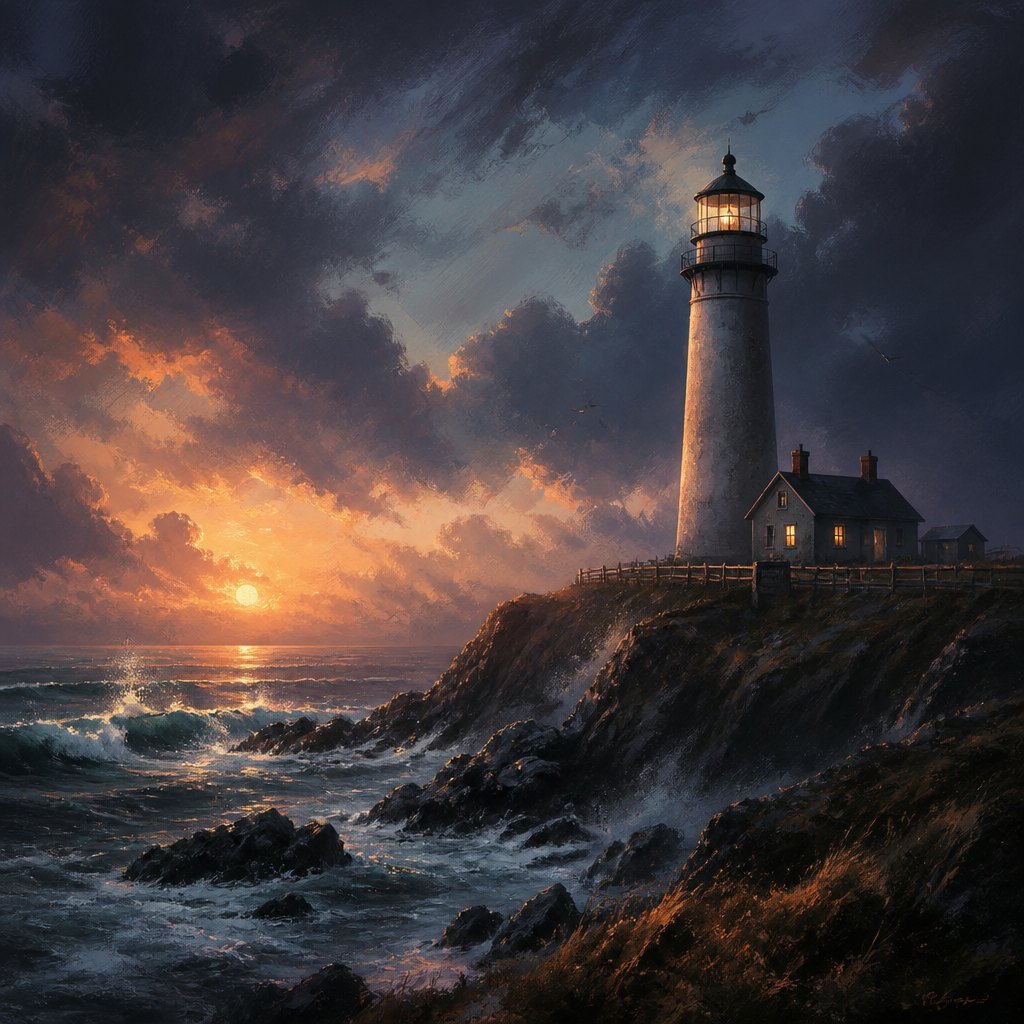
To push an AI image generator toward digital painting rather than photorealism, use words like 'painterly digital brushwork,' 'visible soft brush strokes,' 'concept art rendering,' and 'painted matte texture.' Specify 'dramatic value contrast' and 'controlled color palette' for a professional illustration feel. Terms like 'speed painting' or 'environment concept art' push toward looser, gestural strokes, while 'polished digital illustration' pushes toward tighter, blended rendering. Avoid photographic lens or camera terms, which pull the image toward realism instead of paint.
Frequently asked questions
What is digital painting?
Digital painting is creating images on a computer or tablet using a pressure-sensitive stylus and software that simulates traditional brushes and media, while adding tools like layers and unlimited undo.
Do I need an expensive tablet to start?
No — many entry-level graphics tablets and even tablet computers with a compatible stylus are enough to learn the fundamentals; expensive pen displays help workflow but aren't required to start.
Is digital painting 'real' painting?
It applies the same principles — value, color, composition, edge control — as traditional painting, just through different tools. Most professional painters treat the skills as transferable in both directions.
What software is used for digital painting?
Dedicated painting programs with customizable brush engines are standard, ranging from professional industry tools to more affordable options built specifically around natural-media brush simulation.